









OptiMalt: an extension to optimize your Malt profile
A Chrome extension that helps you optimize your Malt profile and turn it into a lead machine
What is OptiMalt?
OptiMalt is the Chrome extension I built (me, Axel Schapmann 👋). Why? Because a lot of freelancers don't know how to use Malt...
Whereas for me, Malt has been a great source of clients. In 2 years on the platform, from January 2022 to January 2024, I:
- completed 54 projects,
- for 25 different companies,
- representing 103 days worked,
- for a total of €38.6k in revenue (excluding Malt fees).
In short, Malt is a great opportunity when you know how to use it. That's why I built OptiMalt: to help freelancers optimize their profile on the platform.
Back to basics
You have two goals on Malt:
- optimize your profile to appear in search results,
- optimize your profile to convince your future client.
The problem with most freelancers on Malt: they work on the 2nd goal and not the first.
You do end up with a convincing profile, but one that doesn't show up in search results (so in the end nobody sees your convincing profile, which is a bit dumb).

The Malt algorithm
Malt runs on SEO. It's a bit like a Google search: when a client types something, you appear in the results or not depending on the keywords in your profile.
To rank as well as possible, try to maximize your chances on each element:
- Expertise: go up to 50 skills. To do this, go to the search bar on Malt or the one in the skills section and note all the keywords that come up. For example, on the French site, if you type "Rédacteur" (copywriter), you get "Rédacteur web SEO", "Rédacteur SEO", "Rédacteur de contenu". You can write one skill out with several similar keywords.
- Description: use the keywords you want to rank for as much as possible.
- Title: if your title includes the keyword your future client is searching for, you've won.
- Past experience: add your key skills related to your keywords.
Convincing the client
But showing up in search results isn't enough. Your profile also has to convince the client to contact you. There are two levels to this.
1. The results visible on the search page
- Photo: you work with the face you've got, but you can probably do better than that vacation photo.
- Title: your title has to speak to your future client. If they can't understand what you offer, it's game over.
- Price: be low if you don't have any projects.
2. Your profile
- Description: this is where it gets tricky. You can bombard your description with keywords to satisfy Malt's SEO, but your client will probably read it, so it has to stay at least somewhat understandable.
- Portfolio: this is missing from a lot of profiles. It lets you show your past clients or past work (plus, your portfolio is available in the search results by scrolling through the photos).
Tip: the best way to improve your profile is to make small changes from time to time to try new things. For your photo, you can change it, wait 1 week and look at the impact on your stats. You can do the same for your title: try to improve it week after week. Just avoid making changes every day.
OptiMalt features
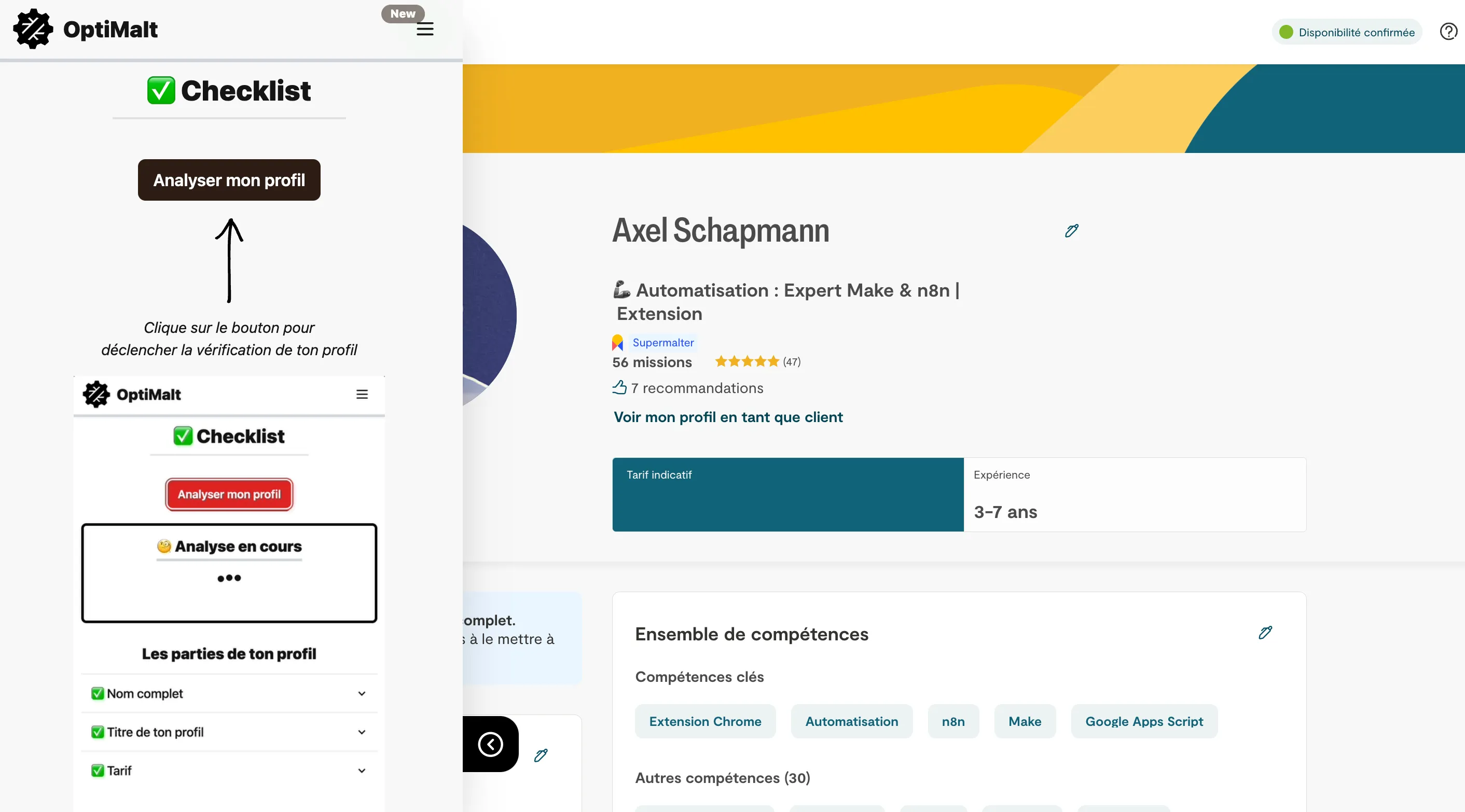
Your profile checklist
This feature checks that your profile is complete, with 10 checks and a score. It tells you what to change if it isn't, along with advice in each category.
SEO analysis of your profile
Your keywords are counted and highlighted on your page, along with what's missing to climb higher. Because yes, Malt runs on SEO: without enough keywords in the right places on your profile, you'll never get good visibility. And without visibility, no clients.
AI writing
OptiMalt generates optimized titles and a description based on your positioning, ready to adapt.
Examples of top profiles
This is probably the best feature of the extension: there's no point reinventing the wheel, you might as well take inspiration from the best. You'll find examples of top profiles by field.
Videos and guides
To understand Malt's algorithm and best practices in a few minutes.
OptiMalt pricing in 2026
The checklist stays free. To unlock everything, there are two one-time payment options, with no subscription:
- 1-year pass: €19 for 12 months, with no automatic renewal.
- Lifetime access: €29 once, with all future updates.
Pricing checked on optimalt.co in October 2026.
All that's left is to install the extension and improve your profile :)
Strengths and weaknesses
Strengths
- Optimization of your Malt profile
- Personalized advice to improve your visibility
- Performance analysis of your freelance profile
- Saves time on prospecting on Malt
Weaknesses
- Only useful if you use Malt
- Features limited to public data
Frequently asked questions about OptiMalt
OptiMalt is a Chrome extension that analyzes and optimizes your freelance profile on the Malt platform to improve your visibility.
The profile checklist is free. Full access (SEO analysis, AI writing, examples of top profiles, videos) costs €19 for 1 year or €29 for life, as a one-time payment with no subscription.
No, OptiMalt is designed specifically for the Malt platform.
After installation, OptiMalt analyzes your Malt profile and gives you recommendations to improve your search ranking and appeal.
Alternatives to OptiMalt
What we would use instead, in the same category.





Compare all the alternatives to OptiMalt
See our full comparison of the 6 alternatives to OptiMalt in 2026: prices, features and strengths, in detail.
🚀See the full comparison